

Before you begin
You need access to Settings → MCP & Tools and permission to add connections. For a custom server, obtain its MCP endpoint, transport, and authentication requirements from its administrator. An ordinary website URL or REST API URL is not necessarily an MCP endpoint.The MCP & Tools Page
Open Settings → MCP & Tools. The list shows your available connections and their status. Open a connection to inspect its tools and usage history.Display modes
Use the grid or table view to browse connections.Search
Search by connection name when the list grows.Refresh
Use Refresh to reload the list or a server’s tools after a configuration change.Adding a Tool
Choose New Tool, or Add First Tool in an empty workspace. The Connectors catalog opens. Pick the service you want and follow its connection flow, or choose Add to open Custom MCP server.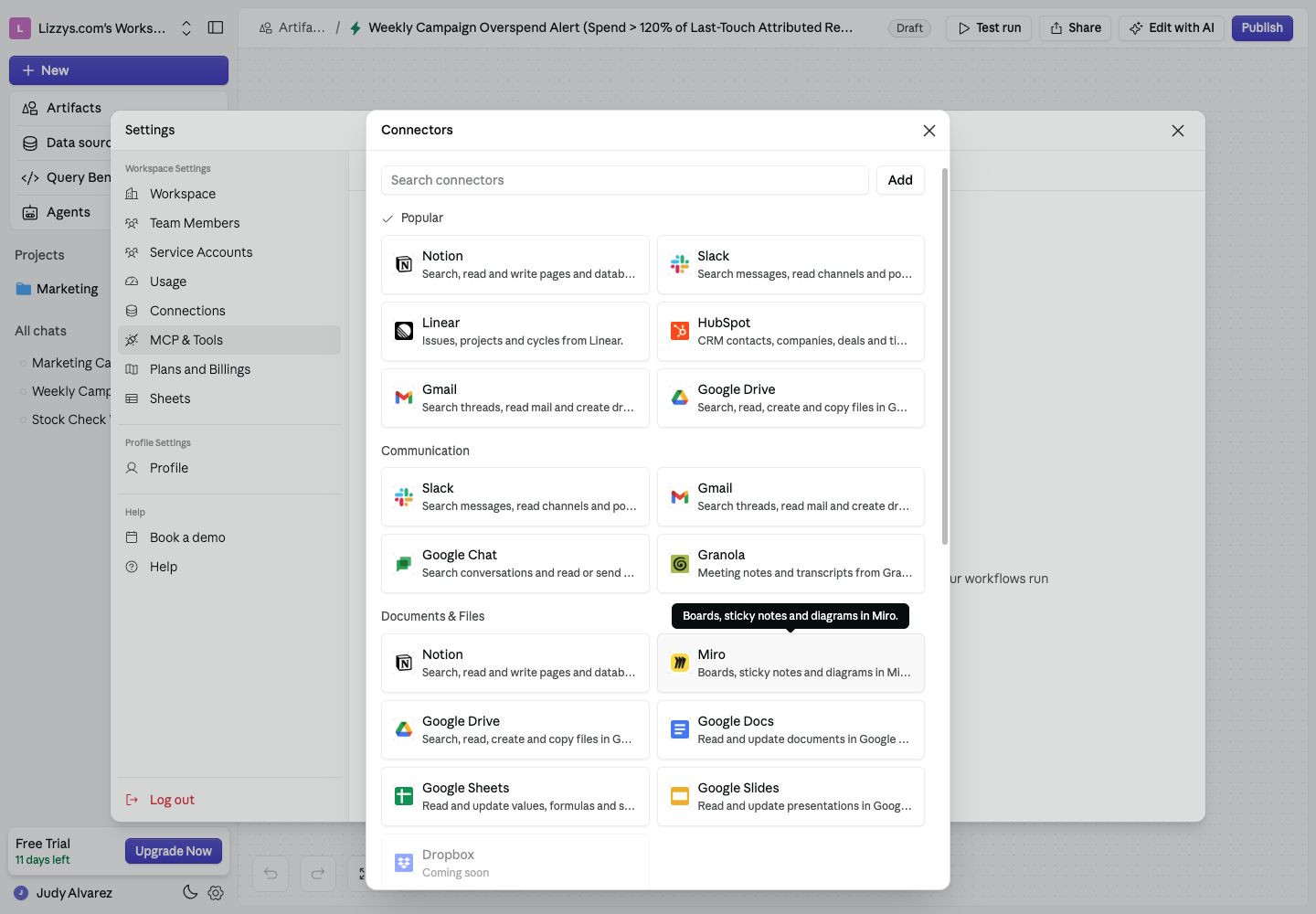
Choose a supported connector, or Add a custom MCP server.
Required fields
For a custom server:- Give it a recognizable Name.
- Enter its MCP endpoint under Connection.
- Select Streamable HTTP or SSE to match the server.
- Choose Authentication: None, API token, or OAuth.
- Complete the required authentication details, review the acknowledgement in the form, and choose Create.
Optional fields
Use Description to explain when the agent should use the connection. You can also choose an icon. OAuth servers can require advanced settings supplied by the provider, such as a client ID, client secret, or scopes. Copy the callback URL shown by Supaboard when configuring that provider.What happens when you save
The connection is added and its status indicates whether it is ready. For OAuth, complete the provider’s authorization step. If you skip or cancel sign-in, the connection still needs authorization before it can be used. For API-token authentication, the token is sent as a Bearer credential and is stored server-side. Use the connection’s edit or credentials controls when it needs updating.Transport Types: HTTP vs SSE
Use the server provider’s documented transport and URL. Choosing a transport does not turn an unrelated HTTP endpoint into an MCP server.