

Start with a question you would normally ask a colleague, such as “What changed in revenue last month?” The Analyst helps you investigate and turn the result into something useful.

Before you begin

  • Sign up for Supaboard or accept your team’s workspace invitation.
  • Check that the workspace has a data source. If you’re joining an existing team, this may already be done.
  • Use an agent that can access the data you need. Ask your workspace administrator for access if the agent or data is unavailable.
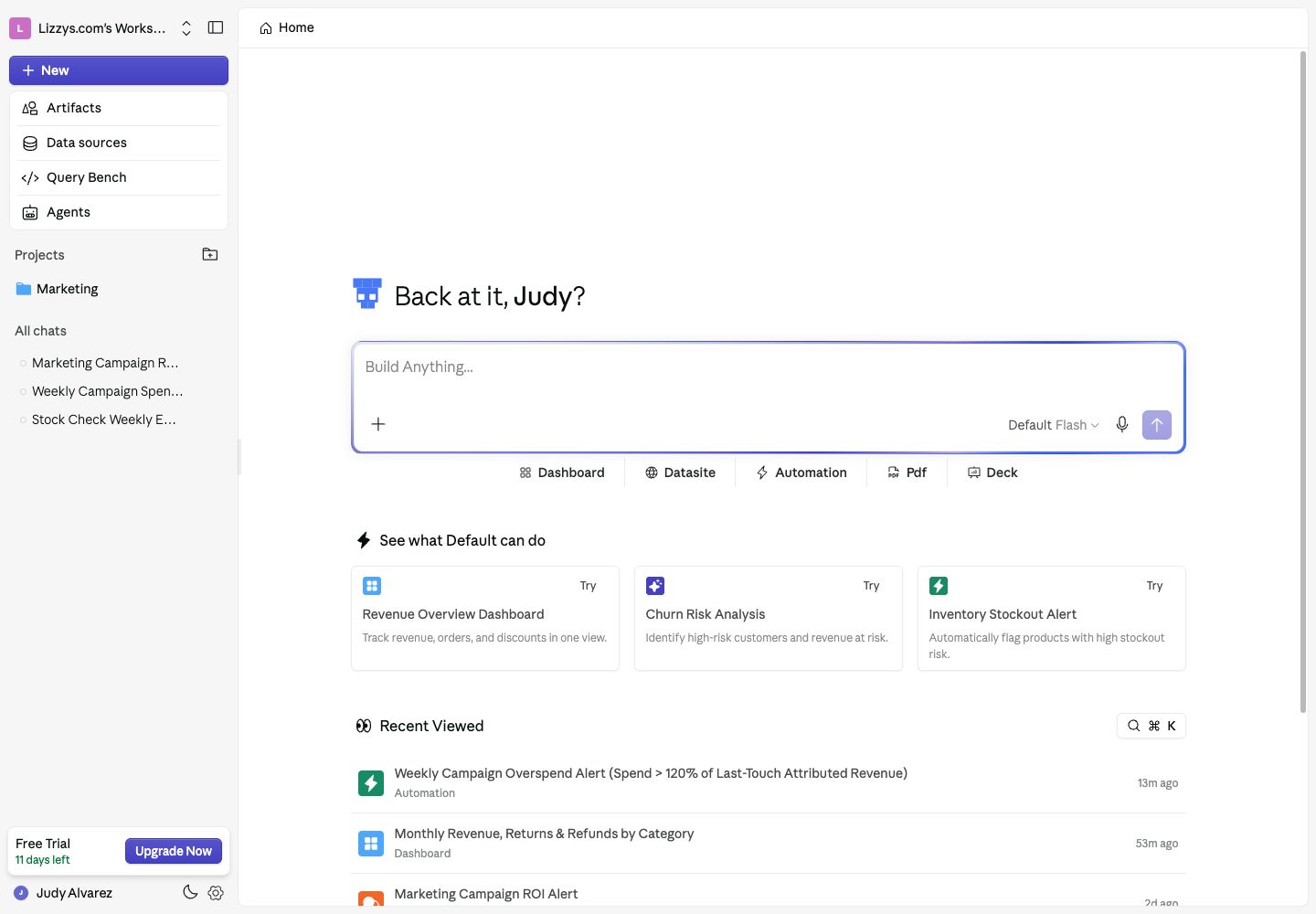
You can use your workspace’s default agent. Creating your own agent is optional.
Supaboard Home with the Analyst message box, agent and Flash mode selector, and Dashboard, Datasite, Automation, PDF, and Deck choices

Start a question from Home, or choose an output beneath the message box.

Ask your first question

  1. Open Home, or click New in the sidebar to start a chat.
  2. Choose an agent in the message box. Start with Flash for an everyday question.
  3. Type a question and send it. Include the metric, period, and comparison you care about.

Learn what your connected data contains

For a more specific first question, try: “Compare revenue last month with the previous month. Show which products contributed most to the change.”

Read and refine the answer

The answer can include an explanation, charts, tables, or headline metrics. Check the date range and definitions, then ask a follow-up in the same chat: “Break that down by region” or “Use completed orders only.” Use Pro for deeper analysis or Max for a complex task that benefits from a plan before investigation. Add files or existing artifacts as context when the Analyst needs more information. See Ask the Analyst.

Turn the answer into an output

Ask “Create a dashboard from this analysis” or “Make a presentation for our weekly review.” Open the resulting artifact card to review it and request changes in the same chat. You can also open Artifacts → New Artifact, choose an output, and use Build with AI. Dashboards, Datasites, and automations also offer Build Manually. After this walkthrough, you should have a chat you can return to and an answer you can inspect. Find any outputs you created in Artifacts.

Create your first agent

When your team needs consistent definitions or a particular data scope, open Agents and configure an agent for that purpose. Add the relevant data sources, business rules, and knowledge. See Set up agents.

Next steps

Last modified on October 2, 2026